

Skip to content

Master data quality for SAP

Find and Fix the SAP Data That Breaks Your Rules

How much of your SAP master data would pass your own rules today? Maextro Align checks the data already in SAP against your Maextro rules, shows where it falls short and helps you correct it in bulk.

Got data you'd like to get in line? Have a quick chat with us.

$12.9 million

Average yearly cost of poor data quality - Gartner, 2021

3%

of data sets rated acceptable in a Harvard Business Review study of 75 executives

59%

of organisations don't measure data quality - Gartner surveys

See Align find and fix a record

Your rules, reused

Check Against Rules You Already Have

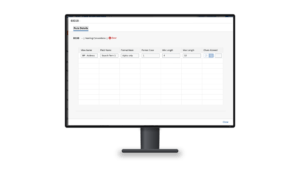
Align runs the rules you set in Maextro, such as mandatory values, default values and conditions, against the data already in SAP. Pre-delivered rules are included, and you can configure them.

Always working

Queries That Run in the Background

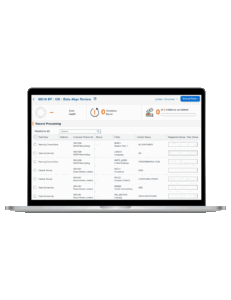
Align runs checks in the background, so your people carry on with their work while it looks for records that break your rules.

Fix at scale

Correct Records in Bulk

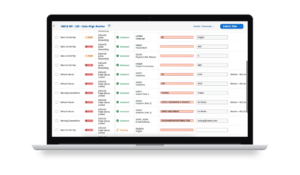
With Align, you review the flagged records, then correct, remove or edit them on one screen, with approval before anything changes in SAP.

Know where you stand

See How Your Data Is Performing

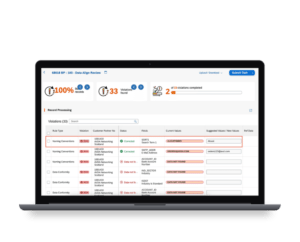
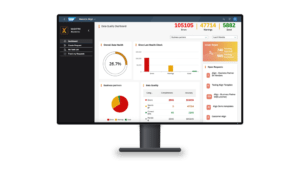
Align's performance view tracks your data against your rules by KPI, so you can see where the gaps are and what to fix first.

Three common starting points

Where Align Helps

Maextro Align helps you clean data before a move, tidy what has built up and spot data created outside your process.

Clean your data before you move

A move to S/4HANA is a good moment to find and fix errors. Align corrects them in your current system, so what you migrate is in better shape. Align doesn't move the data.

Tidy the data that has built up.

Incomplete and inconsistent records collect as systems and teams change over the years. Align flags them against your rules and helps you correct them in bulk.

Spot data created outside your process.

A governed process doesn't always stop records being created another way, such as through standard SAP transactions. Align checks what is in SAP against your rules, so you can see where data has slipped past.

AI is nothing without good quality master data. Get AI-ready with Align

Align gets the data already in SAP in line, so the AI and analytics built on it can rely on it.

Find what AI would trip over.

Align flags incomplete and inconsistent records against your rules.

Fix it at scale.

Align corrects the flagged records in bulk, with approval.

Keep it governed.

Maextro governs new data as it is created, so the clean-up stays done.

Built on Maextro

How the two fit together

Maextro sets the standard. When you set up Maextro, your team decides what good data looks like, including mandatory values, default values and conditions, and who approves each request.

Align measures against it. Align runs on your Maextro setup, so Maextro comes first. Once you know what good looks like, Align checks the data already in SAP against the same rules and shows where it falls short.

Getting Started

Start with the Maextro you have.

01

Set your rules in Maextro.

Your data model sets the mandatory values, default values and conditions, with the people who know the business.

02

Add Align

It runs on your Maextro setup and uses the rules you already have.

03

Run, review and correct.

Start with the data that matters most, and add more as you go.

Results

What Align can do

  • 97%

    improved data accuracy

  • 90%

    reduction in manual data correction time

  • 80%

    increase in data governance efficiency

Frequently Asked Questions

The short answers.

  • Maextro Align checks the master data already in SAP against the rules you set in Maextro, such as mandatory values, default values and conditions. It shows where records fall short, tracks quality by KPI and helps you correct them, with approval before anything changes in SAP.
  • Master data quality is how well your core business data, such as materials, customers and vendors, meets the rules you set for it, for example being complete, consistent and accurate. Maextro Align measures it by KPI against the rules you set in Maextro.
  • Maextro Align works in four steps. It checks the data already in SAP against your Maextro rules, shows which records break which rules, lets you correct the flagged records in bulk, and sends the changes through approval before they reach SAP.
  • Yes. Maextro Align runs on your Maextro setup, so Maextro comes first. Align checks data against the rules you set in Maextro, which means those rules have to exist before there is anything to check against. Maextro governs data as it is created, and Align checks the data already in SAP.
  • Maextro Align can only test data against rules that already exist, so you set the rules first. Gartner's advice is the same, that the business decides what good enough data looks like. Setting the rules in Maextro means deciding that, with the people who know the business.
  • Maextro Align finds records that break your rules, such as incomplete or inconsistent data that has built up over the years, and records created outside your process, for example through standard SAP transactions. A performance view then tracks your data against those rules by KPI, so you can see what to fix first.
  • No. Maextro Align corrects the master data already in your SAP system, so what you migrate is in better shape. It is a pre-step, and moving the data between systems is a separate job.
  • Maextro Align runs on SAP BTP with Maextro, which works with SAP ECC, and with S/4HANA on premise, private cloud and public cloud.