Blogs
UX Was Never Meant to Stay Still
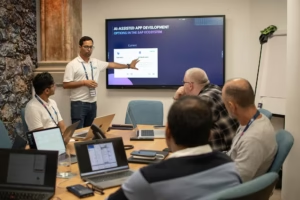
There’s a fear sitting quietly under a lot of design teams right now. People rarely say it out loud in a stand-up, but catch them over a late coffee and it usually surfaces eventually: if AI can generate a coherent, on-brand interface from a prompt in seconds, what’s actually left for the person who spent years learning to do that by hand?
It’s not a fringe worry. It’s the question underneath most of the “AI is coming for designers” headlines, just rarely asked this directly.
So instead of trying to answer it myself, I went to our UX team at Bluestonex and asked them how they actually felt about all this.
Sam Evans, one of our UX designers, didn’t answer with an opinion about Figma, Copilot, or whichever design tool had announced an AI feature that week. Instead, he asked me something back:
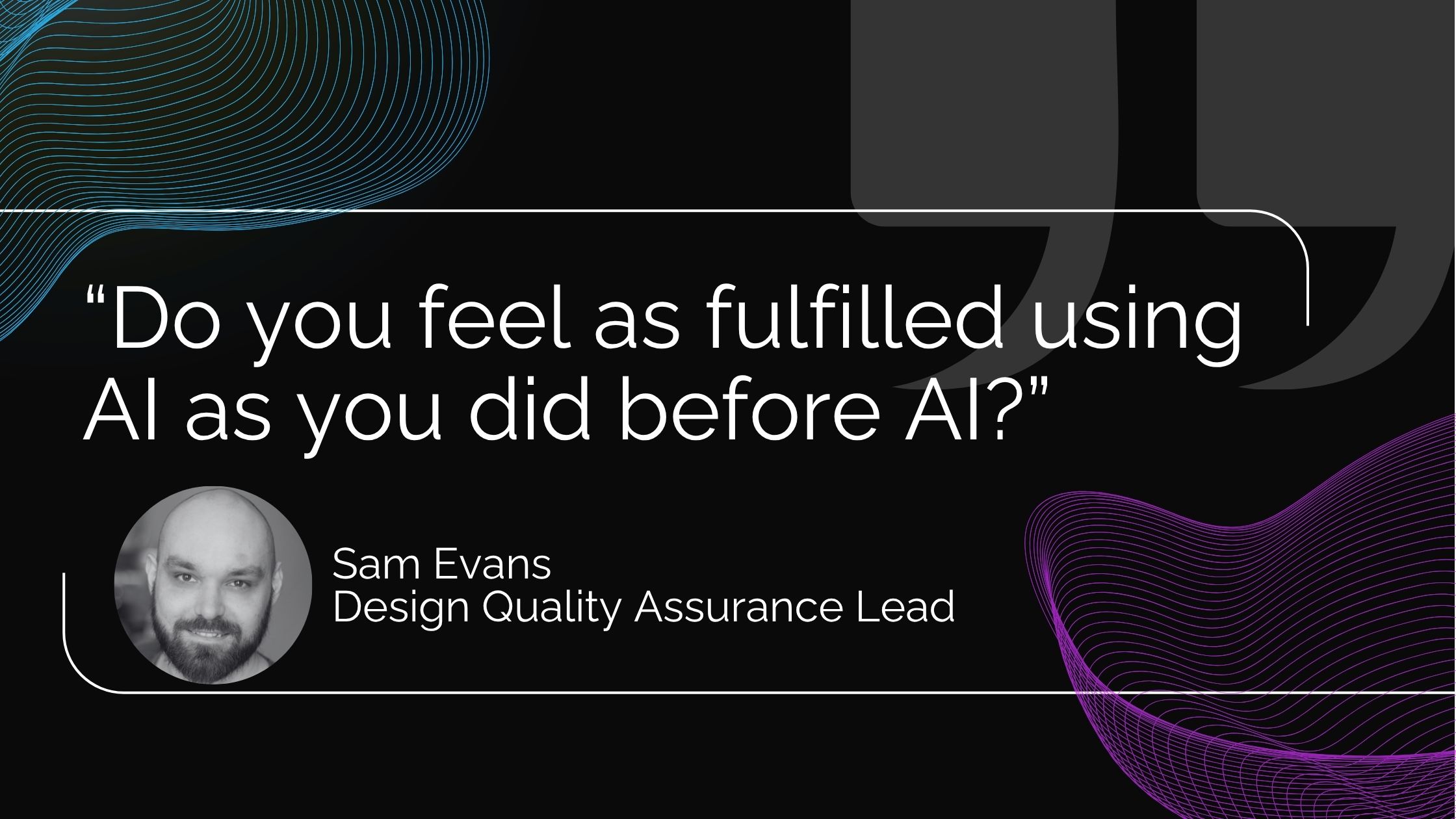
It wasn’t the question I expected, and honestly, I didn’t have an answer.
My background isn’t design. It’s development, automation, and more recently, AI. I started building applications long before design thinking became part of every project, back when the developer often became the designer by default. Looking back, we made decisions about layouts, colours and buttons with a level of confidence that people with absolutely no design training had no business having. Thankfully the users were forgiving.
Over the years I worked with genuinely brilliant designers, and I began to appreciate something I’d completely underestimated: design isn’t about making things look beautiful. It’s about making complicated things feel simple. That’s a very different skill.
So when Sam asked whether AI felt as fulfilling, my first instinct was to answer like an engineer. AI writes code faster. It reduces repetitive work. It helps me ship quicker. Great. But that wasn’t what he was asking. He was asking about the craft, about the satisfaction that comes from solving a human problem rather than simply producing an interface.
That conversation stayed with me for days, not because it convinced me AI was replacing designers. Quite the opposite. It made me realise we might be asking the wrong question altogether. Perhaps the question isn’t what AI is changing. Perhaps it’s why we ever expected UX to stay the same in the first place.
Because if you step back for a moment, UX has never stood still. Every major shift in technology has changed what good user experience looks like. There was a time when people memorised commands because there wasn’t another option. Then graphical interfaces arrived, and clicking became easier than remembering. The web changed how we navigated information. Smartphones changed how we interacted with software entirely, as touch replaced the mouse and gestures replaced menus, and entire design languages emerged because people were now using software while walking through airports or standing in supermarket queues.
Enterprise software evolved too. Design systems like SAP Fiori weren’t created because designers woke up one morning wanting more consistency. They solved a completely different problem: scale. Thousands of applications, millions of users, hundreds of development teams. The challenge wasn’t creating beautiful interfaces. It was making every SAP application feel familiar enough that users didn’t need to relearn the basics every time they opened a different screen.
Good UX changed because the world around it changed. That’s happened repeatedly over the last forty years. So why would AI be any different? Maybe this isn’t the end of UX. Maybe it’s simply the next chapter.
Before: consistency was the feature
In the SAP world, Fiori is still the backbone of enterprise UX, and it’s easy to forget just how significant that was when it first arrived. Before Fiori, SAP applications often felt like products designed by completely different companies. Every team solved problems differently, navigation varied, and even simple tasks could feel unfamiliar depending on which application you happened to be using.
Fiori brought order to that chaos. Suddenly there were guidelines, patterns, floorplans: rules that every application could follow.
One thing I’ve always found interesting is watching how many ABAP developers embraced Fiori when it arrived. People who had spent years writing backend logic suddenly found themselves learning UI5, layout principles and interaction patterns. I’ve often wondered whether everyone genuinely became fascinated by user experience overnight, or whether they simply recognised the industry was changing and adapted accordingly. Probably a bit of both. There’s likely a joke somewhere about seasoned ABAP developers discovering colour palettes and typography for the first time, but I’ll leave that one alone.
Whatever the motivation, something important happened. The design system did what great design systems are supposed to do: it allowed people who weren’t designers to build interfaces that still felt coherent. A design system isn’t really a collection of buttons. It’s a shared language. It captures years of design thinking and packages it into patterns that everyone can use.
Sam described it better than I could: “Fiori was never intended to be the latest and greatest design framework. It was simply the least objectionable to the most users.” I love that description because it’s honest. Enterprise software has never been about winning design awards. It’s about reducing friction, helping users accomplish tasks without having to think about the interface itself. Familiarity became the feature, and for enterprise software, that was exactly the right answer.
From consistency to composition
To be fair to Fiori, it earned that reputation honestly. If what you’re building is a business application, and consistency with the rest of the SAP landscape matters more than standing out, Fiori is remarkably good at its job. Enterprise software isn’t competing for attention the way consumer apps are. Nobody chooses SAP because the buttons have rounded corners or the animations feel delightful. They choose it because people need to complete their work accurately and efficiently. Consistency, predictability and trust are all valuable, and Fiori delivered all three.
Where things get more interesting is when you’re not just building an internal business application, you’re building a product: something that needs its own personality, something that reflects your brand, something that has to differentiate itself. That’s usually where developers start reaching for custom CSS. “Just tweak this.” “Let’s move that.” “Can we make these cards look a bit more modern?” Nothing wrong with that, until the next UI5 upgrade quietly changes the underlying classes and half your styling disappears overnight.
It reminds me a lot of SAP’s Clean Core philosophy on the backend. The principle is almost identical: the more you customise the underlying platform instead of extending it properly, the more fragile your solution becomes. We don’t usually talk about it as “Clean Core for UX”, but perhaps we should. Respect the platform, extend thoughtfully, avoid fighting the framework. That’s one of the reasons design systems exist in the first place. They’re not there to restrict creativity. They’re there to prevent hundreds of teams solving the same problem hundreds of different ways, because consistency scales.
That doesn’t mean design systems never change. One thing people often forget is that design systems are living things. Material Design today isn’t the Material Design Google introduced years ago. Microsoft Fluent has evolved. IBM Carbon has evolved. Fiori itself has evolved continuously. None of them stood still, because the technology around them didn’t stand still either.
Every generation asks a different question. Desktop computing asked how people navigate windows. The web asked how people find information. Mobile asked how people interact without a keyboard or mouse. Enterprise software asked how thousands of applications could feel like one. Now AI is asking something entirely different: how do you design for software that no longer presents the same interface every time? That’s a much bigger question than where to place a button, and it brings us to what I think is the most interesting change happening inside SAP right now.
The next evolution
Most conversations around AI design focus on the obvious part: AI can generate interfaces. That’s impressive. It’s also the least interesting part of the story. The more interesting question is how AI knows what to generate. Give a language model access to every component in a design system and it will happily build something that technically follows all the rules, and it can still end up being completely wrong.
SAP’s own design team has a memorable name for this outcome: a “Frankenstein UI”. Every component is technically valid, every button follows the design system, every spacing rule is correct, and yet somehow the experience feels off, like something assembled rather than designed. Traditional design systems were built for humans, and humans don’t think in isolated components. We understand context. We know when something feels too busy, or when an extra button creates unnecessary hesitation. We recognise how elements relate to each other without consciously thinking about it. AI doesn’t do that naturally. Not unless we teach it.
That’s really the problem SAP is trying to solve with what they call a Compositional Design System, and it took me a while to understand what that actually meant in practice. My first assumption was that it’s just a bigger, smarter component library. It isn’t. If anything, it’s closer to the opposite: rather than cataloguing what exists, it’s an attempt to make the reasoning behind good design explicit enough that a machine can follow it. Not just which button to use, but why that button belongs there, what it should never sit next to, and what a given pattern is silently telling the user about how much to trust it.
Fiori doesn’t disappear in this world. It becomes the foundation, the structured layer that handles predictable, transactional work, while AI composes experiences on top of it based on the user’s intent, their context, and the task they’re trying to complete. Once I understood that, something clicked. This isn’t SAP abandoning Fiori. It’s Fiori evolving, the same way it has evolved before, because that’s what design systems do. They evolve alongside the technology they’re built to support.
The real shift isn’t that AI can build an interface. It’s that we’ve moved from documenting what a component looks like to defining why it exists in the first place. That’s a fundamentally different job, and it’s also why I don’t think AI makes design less important. I think it makes it considerably more important.
The uncomfortable question: what happens to the Fiori generation?
Here’s the part I don’t think enough people are talking about. That design becomes more important is true at the level of the profession. It’s a lot less comforting if you’re the person whose specific expertise is the thing being absorbed.
There’s an entire generation of SAP designers, consultants and architects who built successful careers around understanding Fiori: the floorplans, the guidelines, the interaction patterns, the little details that make an application feel unmistakably SAP. That knowledge mattered because it was difficult to acquire. You invested years learning it, and once you understood it, those principles remained largely consistent across projects.
Naturally, AI raises an uncomfortable question. If an interface can now be assembled from a simple prompt, what happens to all of that expertise? It’s a fair question, and it deserves a fair answer.
The honest answer is that some of it will lose value. Knowing which component belongs on which floorplan, or memorising spacing rules, is exactly the sort of knowledge that modern design systems are trying to automate. That’s not an accident; it’s the objective. We’ve seen this before: developers once memorised database syntax because there was little alternative, and today our IDEs complete most of it for us. Infrastructure engineers once spent days provisioning servers manually; now entire environments appear from code. The expertise didn’t disappear in either case. The routine parts became automated, and judgement became more valuable.
That’s an important distinction. If your expertise is simply remembering the rules, AI will inevitably become very good at that. If your expertise is understanding people, that’s a different story altogether. The designers I’ve enjoyed working with over the years rarely begin conversations by talking about layouts. They start by asking who is using this, why they’re here, what’s frustrating them, what decision they’re trying to make. The interface comes later. That’s exactly the part AI still struggles with. It can infer, predict and generate, but it doesn’t truly understand people, not in the way experienced designers do.
That’s why I don’t think designers are moving down the value chain. I think they’re moving up it. Instead of deciding where a button should sit, they’ll increasingly define how AI should behave. Instead of documenting components, they’ll define relationships. Instead of creating static journeys, they’ll shape dynamic ones. The work becomes less about drawing screens and more about teaching systems. When you think about it that way, the job hasn’t become smaller. It’s become considerably bigger.
The people in the room
I put some of these thoughts to Dan Barton, Bluestonex’s co-founder. His response surprised me because it wasn’t really about AI at all. He simply said:
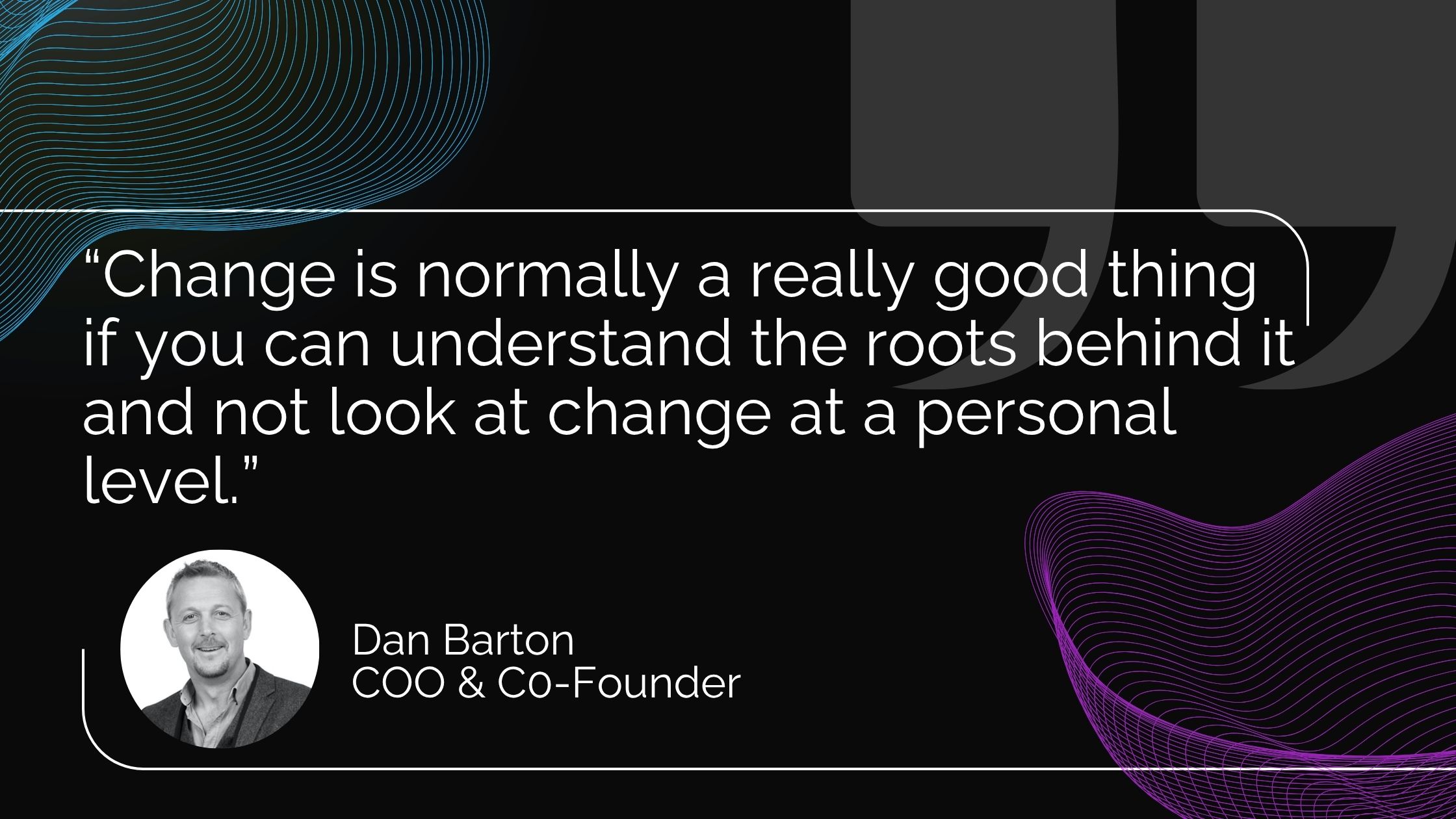
We tend to experience change as something happening to us, rather than something with reasons behind it worth actually understanding. The internet caused the same unease, and so did cloud computing, and mobile wasn’t any calmer when it arrived either. AI isn’t some unprecedented rupture. It’s just the latest lap of a cycle we’ve been round a few times already.
Dan followed that with something I think gets nowhere near enough credit: the hardest part of enterprise AI right now has very little to do with the technology itself. Getting people to trust what they’re looking at, understand why it’s telling them what it’s telling them, and actually fold it into how they work, that’s the real battle. And you don’t win that battle with better engineering. You can build the most accurate model in the world and still lose the room, because belief isn’t something you can compile. Someone still has to design for it.
Sam landed in almost the same place, from a completely different angle. His version was blunter: “AI can get you 80% of the way there. Designers get you to 100%.” I kept coming back to that line. The missing 20% was never really about polish or pixel-perfection, it’s about whether someone trusts the thing enough to actually rely on it. That gap has existed as long as software has. AI hasn’t closed it. If anything, it’s made it more visible than ever.
Closing the gap: what SAP built to answer it
As it turns out, SAP’s own design team reached a remarkably similar conclusion. When they introduced the visual language behind Joule Work, they deliberately moved away from the direction much of the industry was taking with AI interfaces. If you’ve looked at enough AI products recently, you’ll notice the pattern: glowing gradients, animated backgrounds, pulsing effects, every interaction seemingly designed to remind you that something intelligent is happening.
SAP took a different path. Their philosophy, in their own words, was refreshingly simple: “Clarity itself has emotional value.” I love that line because it captures something easy to overlook. Enterprise software doesn’t need to impress people every five seconds. It needs to help them make good decisions. As Sam mentioned, “People might not notice good UX, but they for sure will notice bad UX and that’s what they’ll remember”. A finance manager approving payments doesn’t want an interface that feels magical. They want one that feels dependable. A supply chain planner doesn’t need glowing animations. They need confidence that the recommendation in front of them makes sense. Trust isn’t built through visual spectacle. It’s built through clarity.
That philosophy becomes even more obvious when you look at Joule Work itself. Instead of forcing users through a fixed sequence of screens, the workspace assembles itself around what the user is trying to achieve. A customer service agent resolving a return doesn’t necessarily need five different applications open anymore: the information, the approvals, the recommendations, and the next actions can all be composed dynamically around the task itself.
For decades, we’ve designed software around applications. Increasingly, we’re designing software around intent. The application becomes almost invisible, and the work becomes the interface. That’s where I think UX changes once again, not because AI suddenly became creative, but because people stopped thinking in terms of screens and started thinking in terms of outcomes. Good UX has always tried to reduce the distance between intention and action. AI simply shortens that distance even further.
Where this leaves us
Looking back, I think Sam’s original question was never really about AI. It was about purpose: do we still find fulfilment when machines can produce so much of what we used to create ourselves? After writing this, I think my answer is different from the one I would have given a few weeks ago.
The job of a designer isn’t disappearing. Neither is the job of a developer, an architect, or a product manager. The work is moving, the same way it always has whenever the tools underneath it changed. Design systems aren’t becoming obsolete either. They’re evolving, from documenting components to defining behaviour, from libraries of UI elements to systems of principles, from guidelines to guardrails.
That’s a much more interesting evolution than simply asking whether AI can generate a screen, because screens were never the point. People were. The designers who thrive over the next decade won’t necessarily be the ones who know every component in a design library. They’ll be the ones who understand behaviour: who know when people hesitate, when they trust a recommendation, when they need an explanation instead of another button. Those are deeply human problems. AI can help solve them. It can’t define them. That’s still our job.
So, am I as fulfilled using AI as I was before it? Some days. Especially on the days I remember that AI isn’t replacing the thinking; it’s raising the level at which we’re expected to think. The future of UX isn’t designing better screens. It’s designing better behaviour. And somehow, that feels like a far more exciting job than the one we started with.
My thanks to Sam Evans and Dan Barton for the conversations that inspired this piece. Their perspectives challenged several of my own assumptions and helped shape many of the ideas explored here. If you’d like to dive deeper into SAP’s thinking on this topic, I’d also recommend “Designing the Autonomous Enterprise” by Arin Bhowmick, “Evolving Design Systems for AI-Driven UX” by Bart Meeuwssen, and “A New Visual Language Defines Enterprise AI” by Halle Kho, all published on SAP Design’s site.
Enjoyed this article?
If there’s one constant through every wave of technological change, it’s that the best solutions start with understanding people. Discover why Design Thinking remains the foundation of great user experiences, and why empathy, not just technology, is still the key to successful innovation, in our complete guide to Design Thinking.
To see that thinking applied to your own SAP landscape, our UX workshops bring your real users into the room to find where they hesitate, what they trust and what would make their work easier.

Vikash Kumar
SAP BTP AI Lead