Blogs
The Ultimate Guide to SAP BTP
Updated October 2026.
SAP Business Technology Platform (SAP BTP) is SAP’s platform for extending, connecting and adding intelligence to SAP systems. It brings application development, automation, integration, AI, and data and analytics together in one environment, so organisations can build on their SAP core without modifying the ERP itself. It runs on Microsoft Azure, AWS and Google Cloud, as well as SAP’s own data centres.
BTP has changed a lot since SAP launched it in 2021. More services, a much heavier focus on AI and better tools for developers and business users have turned it into the centre of the SAP ecosystem. At the same time, more of our customers are under pressure to modernise and do more with less, which puts BTP at the heart of most SAP roadmaps. With so many moving parts, knowing where to start is the hard bit.
That is why I (Aditi, Process Automation Lead) have teamed up with our other senior BTP experts, Vik (SAP BTP DevOps & AI Manager), Jacob (SAP BTP Consultant), Soumya (SAP BTP Development Manager) and Sab (SAP BTP Integrations Manager), to write this guide. We cover what BTP includes, what changed at Sapphire 2026, how organisations use it in practice, what a BTP project looks like, and what you need to know about licensing and getting started.
What is SAP BTP?
The easiest way to think about BTP is as the layer that sits alongside SAP’s core applications. S/4HANA, SuccessFactors, Ariba and the rest run the day-to-day transactions. BTP is where those applications are extended, connected, analysed and, increasingly, automated.
It covers four needs that almost every SAP customer has:
- Integration: connecting SAP and non-SAP systems so data flows between them instead of sitting in silos.
- Extension: adding custom apps and logic on top of standard SAP without changing its code, the idea known as clean core.
- Intelligence: building AI, machine learning and predictive analytics into everyday processes.
- Development: giving professional developers and business users the tools to build and automate faster.
What sets BTP apart from a general cloud platform is how closely it fits SAP. Pre-built SAP integrations, an understanding of SAP data models, Joule AI and alignment with SAP’s clean core approach all come as standard.
What Makes Up SAP BTP? The Five Pillars
BTP is organised into five pillars, each covering a different kind of capability. Since 2026, some SAP partner materials group them into four, merging Application Development and Automation, and AI has become the lens SAP uses for the whole platform. The five-pillar view below is still the clearest map of what BTP contains.
A note on the bigger picture: at Sapphire 2026, SAP announced the SAP Business AI Platform, a wider architecture that brings together BTP, SAP Business Data Cloud and SAP’s AI Foundation. We cover it in its own section below. The pillars and the services inside them have not changed. What has changed is how SAP frames them.
1. Application Development and Extensibility
This pillar gives you the tools to build your own business apps and extend standard SAP without touching the core ERP code. Professional developers work in the SAP Cloud Application Programming Model (CAP) and SAP Business Application Studio. Business users and citizen developers use SAP Build.
The commercial case is less custom code to maintain and faster delivery. IDC research commissioned by SAP found that organisations using BTP alongside their core SAP applications built 164% more application extensions and saw 46% higher development team productivity than those without it. SAP benchmarking puts BTP development at up to three times faster than traditional approaches.
SAP Build: low-code and pro-code in one family
SAP Build is the name for SAP’s family of development tools, and it covers four products:
- SAP Build Apps lets business users and developers create apps with drag-and-drop components.
- SAP Build Process Automation handles workflows, approvals and bots. We cover it in depth in our SAP Build Process Automation guide.
- SAP Build Work Zone gives users a single launchpad for their SAP and non-SAP apps.
- SAP Build Code gives professional developers a Joule-assisted environment for CAP and SAPUI5 development.
Most of our customers start with Build Process Automation or Build Apps for a single process, then move to Build Code once an extension needs custom logic. The right choice usually depends on who will look after the app once it is live.
SAP Fiori: the face of everything you build
Every app built on BTP uses SAP Fiori, SAP’s design system for consistent, role-based user interfaces. Good Fiori design means users see the apps their role needs and nothing else. Our SAP Fiori guide explains how Fiori works and what a good rollout involves.
2. Automation
The automation pillar is about taking manual effort out of business processes. SAP Build Process Automation provides low-code workflows and approvals that business users can build without a developer. SAP Signavio maps how processes actually run in your system, so you can find bottlenecks before you automate them. Robotic process automation (RPA) handles repetitive, rules-based tasks that work through system screens, which is useful for older systems with no API to connect to.
Automation increasingly works hand in hand with AI, as Joule agents take on multi-step processes. The line between automation and agentic AI is the fastest-moving part of BTP in 2026. For a wider view, see our guide to SAP automation.
3. Integration
The integration pillar, delivered mainly through SAP Integration Suite, connects SAP and non-SAP systems so data and processes flow across the business. It includes more than 3,400 prebuilt integration flows (iFlows) between SAP applications and common third-party platforms, and more than 170 Open Connectors for non-SAP applications. API management gives you control over custom integrations, and event-driven architecture supports real-time updates across cloud and on-premise systems.
If you are replacing SAP Process Integration or Process Orchestration (PI/PO) as part of a move to S/4HANA or the cloud, Integration Suite is where those interfaces move to. It is also the usual way to connect the SAP core to BTP extensions, third-party AI services and SAP Business Data Cloud.
4. Data and Analytics
This pillar helps you manage, connect and make sense of data across the business.
SAP Datasphere is the data layer. It connects data from SAP and non-SAP systems and gives it a shared business meaning, so a “customer” or “margin” means the same thing in every report. Much of that data can be read where it sits, which avoids copying it into yet another warehouse. Datasphere is now part of SAP Business Data Cloud.
SAP Analytics Cloud (SAC) is where people use that data. It combines dashboards, financial planning and predictive forecasting in one tool, and Joule can answer questions about the data in plain language. Because SAC reads from Datasphere, planning and reporting run on the same numbers.
Both tools depend on the master data underneath them. If product or customer records disagree across systems, the dashboards will too. That is why we often start analytics projects with a data quality check.
In 2026, the data pillar has taken on new weight with SAP Business Data Cloud and the SAP Knowledge Graph. BDC, co-developed with Databricks, creates a unified data foundation across the SAP landscape. The Knowledge Graph maps how business entities, processes and data relate to each other across 452,000 ABAP tables and 7.3 million data fields. That context is what lets AI agents reason correctly over enterprise data instead of guessing from isolated records.
5. Artificial Intelligence
The AI pillar has changed more than any other since BTP launched. It started with pretrained AI models, the Generative AI Hub for accessing large language models from providers including Anthropic, Google and OpenAI, and SAP AI Core as the infrastructure for running AI workloads.
Today it is the foundation of what SAP calls the autonomous enterprise. At the centre is Joule, which has grown from a generative AI assistant in 2023 into an agentic AI platform that can plan and carry out multi-step business processes across SAP. SAP now ships more than 40 specialised AI agents and over 2,400 Joule Skills across finance, procurement, supply chain, HR and customer engagement.
The SAP Knowledge Graph keeps those agents reliable. Joule Studio, generally available since Q1 2026, lets you build your own agents and Joule Skills. At Sapphire 2026, SAP also announced Joule Work, a new interface that will eventually let users describe what they want in plain language and have AI agents run the processes and apps needed to do it.
With five pillars and hundreds of services, the hardest part of BTP is usually deciding where to start. That depends on your processes, your licences and the problems your people face every day. Our BTP discovery workshop maps what is possible on BTP for your business before any build begins, and gives you a shortlist of use cases to pursue first.
The SAP Business AI Platform: What Sapphire 2026 Changed
If you have followed SAP announcements since May 2026, you will have seen “SAP Business AI Platform” used alongside, or instead of, SAP BTP. Here is what it means for you.
At SAP Sapphire 2026 in Orlando, SAP brought three platform investments together into one architecture: SAP Business Technology Platform, SAP Business Data Cloud and SAP’s AI Foundation layer. Together, they form the SAP Business AI Platform. SAP CEO Christian Klein described the vision as “the Autonomous Enterprise, where agents run the business and you can focus on what truly matters.”
If you already use BTP, nothing needs to happen straight away. The platform, services, licensing models and capabilities in this guide are all unchanged. What the announcement shows is direction: SAP is positioning the whole platform around AI. BTP provides the development, integration and automation foundation. BDC provides the unified data layer, including the Knowledge Graph. AI Foundation provides the model management and Joule infrastructure above both.
The practical changes arrive in stages:
- Partner credentials: from 30 June 2026, SAP renamed the SAP Business Technology Platform partner competency to the SAP Business AI Platform competency. Partners that held BTP accreditation, including Bluestonex, now hold BAIP accreditation. If partner credentials matter to you, look for BAIP rather than the older BTP label.
- Licensing: a third consumption pool, AI Units, joins BTP Capacity Units and BDC Credits. AI Units cover Joule agents, Joule Studio workloads and AI Foundation services. If you plan to switch on agentic AI, check which pool each service draws from before your next renewal. Our guide to SAP BTP consumption models explains all three.
- RISE and GROW customers: RISE with SAP customers now have a contractual commitment to activate at least three Joule Assistants in year one. GROW with SAP customers get access to more than 20 AI assistants from day one. Both programmes now include AI activation commitments that earlier contracts did not.
BTP and Clean Core: Why They Belong Together
Clean core is one of the most important ideas for any organisation running SAP, and BTP is how you achieve it.
A clean core means leaving SAP’s standard application code unmodified. Instead of writing custom ABAP inside the ERP, you build custom logic, integrations and apps as extensions on BTP, using SAP’s public APIs and extension points. When SAP releases an S/4HANA update, a clean core organisation can apply it without months of fixing broken custom code. In a heavily modified system, every upgrade becomes a project of its own.
The commercial case for clean core is clearest in S/4HANA migrations and AI readiness. Organisations moving from SAP ECC with a lot of custom code face a longer, more expensive move, because each customisation has to be assessed, rebuilt on BTP or retired first. AI raises the stakes further. Joule agents work on standard SAP processes and data models, so custom code that departs from the standard creates blind spots where agents cannot operate safely.
BTP is what makes clean core workable for organisations that still need custom functionality. You keep the capability your business relies on, built in a way that stays current with every SAP update.
SAP BTP Use Cases: What Organisations Are Building
The five pillars describe what BTP contains. These examples show what organisations are actually doing with it.
Integration: connecting a third-party insurance provider in two weeks
Watches of Switzerland needed to connect Zillion, a third-party insurance provider, to both their point-of-sale and ECC systems, and they needed it live within two weeks. Using SAP Integration Suite and our Integration Services, the team deployed, configured and mapped the interfaces without disrupting the business. The integration protected $330,000 worth of purchases on day one alone.
→ Read the full Watches of Switzerland case study
Automation: warehouse processes at Brakes
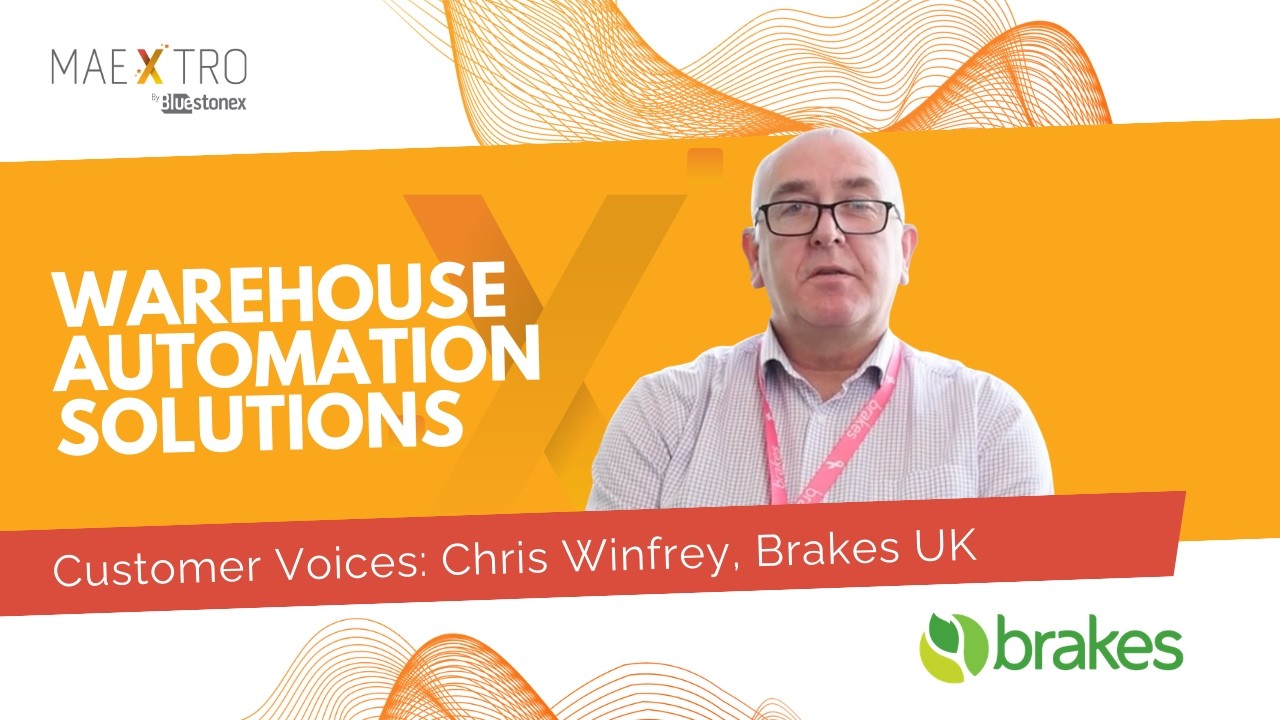
To improve the user experience in its distribution centres and reduce manual effort, Brakes UK used SAP BTP and a human-centred design approach to build custom SAPUI5 apps. The apps automated critical logistics processes, reduced reliance on highly skilled SAP users and improved employee satisfaction. The whole solution, from design thinking to rollout, was built on BTP using our Maextro framework.
→ Read the full Brakes case study
Application development: a faster sales process at Autoglass Ireland
Autoglass Ireland replaced a manual, outsourced sales process with a custom product ordering app on SAP BTP, built using one of our accelerators. Depot managers can now search for and order products themselves, which cut the need for extra staff and sped up turnaround. With their own branding, user roles and order history, Autoglass now runs a faster, leaner sales process with no increase in headcount.
→ Read the full Autoglass case study
AI: intelligent ticket triage
Teams handling high volumes of support tickets often struggle with delays, misrouting and inconsistent answers. With BTP’s Generative AI Hub and SAP AI Core, tickets can be classified automatically, the customer’s intent extracted and a resolution suggested in real time. Connected to SAP, this cuts triage effort, speeds up responses and improves first-time fix rates, all while your existing support platform stays in place.
Data: real-time visibility for better decisions
Data spread across SAP and non-SAP systems limits what the business can see. With SAP Datasphere and SAP Analytics Cloud, that data can be brought into one trusted layer and turned into real-time dashboards for decision-makers, from operational metrics to strategic KPIs, with full lineage and governance.
Monitoring: application tracking and consumption visibility
With BTP spend spread across cloud credits, licences and service-specific metrics, monitoring has become a use case in its own right. Organisations with large BTP footprints across many subaccounts and apps need a consolidated view that the native SAP BTP cockpit does not provide on its own. Princes Foods, Carlsberg and Brakes use BTP-based application tracking to monitor technology investment and support lean management across their manufacturing sites. The BBC uses the same approach to show that licence fee investment in technology is producing measurable adoption.
What an SAP BTP Project Actually Looks Like
Most BTP programmes start small: one problem, one or two services, then growth from there. Here is how a typical first project runs with our team.
- We map your processes, licences and pain points in a BTP discovery workshop and agree a shortlist of use cases.
- Account set-up and governance. We structure your global account, subaccounts and environments, set up identity and access, and agree who can create what. Getting this right early keeps consumption and security under control later. Our SAP BTP security best practices guide covers this in detail.
- First use case. This is usually one of three: moving interfaces from PI/PO to Integration Suite, replacing a piece of custom ABAP with a BTP extension, or automating a manual process with SAP Build.
- Build and test. Users test prototypes before the full build, so the finished app matches how people actually work.
- Go-live and monitoring. We track adoption, performance and credit consumption from day one, using the approach in our BTP monitoring guide.
A typical mid-market BTP architecture
The SAP core (ECC or S/4HANA) connects to BTP through the SAP Cloud Connector. Integration Suite handles traffic between SAP and other systems. Extensions run on BTP and reach the core through public APIs, which keeps the core clean. Users reach everything through one Work Zone launchpad, and Datasphere and SAC sit alongside for reporting.
The first three projects we see most
- PI/PO to Integration Suite. SAP’s standard support for PI/PO ends in 2027, so this is often the most urgent. See our PI/PO migration guide.
- Custom ABAP to BTP extensions. Moving custom code out of the core shortens future upgrades and S/4HANA migrations.
- Low-code with SAP Build. Approvals, forms and simple apps that take spreadsheets and email chains out of a process.
Is SAP BTP Suitable for Smaller Businesses?
Yes. Many smaller organisations choose BTP for its modular pricing, its ability to scale as they grow, and how easily it connects to both SAP and non-SAP systems. With pay-as-you-go and free tier options, you can start with one service and no large upfront commitment.
For businesses already running SAP, BTP has a clear advantage over general-purpose cloud platforms: deep integration with SAP business processes, access to Joule, and direct connectivity to core SAP data.
Getting Started with SAP BTP: Licensing and Deployment
Deployment options
BTP runs in SAP’s own data centres and on the three major hyperscalers: Microsoft Azure, Amazon Web Services and Google Cloud. Most customers pick the hyperscaler that matches their existing cloud strategy. SAP HANA Cloud, which underpins Datasphere and several other services, runs on SAP-managed infrastructure on top of your chosen hyperscaler. The choice is mainly operational and commercial, as BTP’s capabilities are the same across all of them.
Licensing models
BTP is available through four commercial models, each suited to a different stage of adoption. We cover them in more depth in our guide to SAP BTP consumption models.
- Pay-As-You-Go (PAYG): billed monthly on usage with no upfront commitment. Good for evaluating BTP or running small workloads. You get the full service catalogue, at higher per-unit rates than the subscription models.
- Subscription: a fixed monthly fee for specific services at set consumption levels. Gives price certainty for predictable workloads, and suits single services or small programmes.
- BTP Enterprise Agreement (BTPEA): you buy cloud credits upfront and draw them down as you use services. The most flexible option for organisations running several services with changing usage. Credits that expire unused at renewal are a common challenge, which is why monitoring matters.
- Partner-managed consumption optimisation: a fixed-price enterprise model with predictable costs and dedicated technical support. Suits large programmes with established usage patterns.
With the SAP Business AI Platform, AI Units join BTP Capacity Units and SAP Business Data Cloud credits as a third consumption pool. AI Units cover Joule agents, Joule Studio development and AI Foundation services. If you are planning AI activation, confirm with your SAP account team which pool each planned service draws from before you commit.
Free tier and trial access
SAP offers two ways to try BTP without a commercial commitment.
The 90-day free trial is a non-commercial sandbox with access to more than 30 trial services across development, integration, analytics and automation. It lasts 90 days from activation, and you need to log in at least every 30 days to keep it active.
The Free Tier is a production-ready commercial account with ongoing access to selected services at no cost, no expiry and no minimum spend. It includes more than 90 services with always-free or threshold-limited plans, and you can upgrade to paid tiers without losing your work. If you want to prove BTP’s value before committing, Free Tier is usually the better starting point.
Frequently Asked Questions
What is the difference between SAP BTP and SAP Cloud Platform?
SAP Cloud Platform was the former name for SAP BTP. SAP renamed and significantly expanded the platform in 2021, bringing several technology services together under the BTP name. Documentation that mentions SAP Cloud Platform is referring to the same platform.
What is the SAP Business AI Platform?
The SAP Business AI Platform, announced at Sapphire 2026, brings SAP BTP, SAP Business Data Cloud (BDC) and SAP’s AI Foundation together under one architecture. BTP and all five of its pillars are unchanged. The Business AI Platform is the wider framework that positions BTP as the foundation for the autonomous enterprise.
What is Joule in SAP BTP?
Joule is SAP’s AI system, embedded across SAP applications and BTP. It launched as a generative AI assistant in 2023 and has grown into an agentic AI platform that can plan and carry out multi-step business processes across SAP systems. SAP now ships more than 40 specialised AI agents and over 2,400 Joule Skills. Joule Studio, generally available since Q1 2026, lets organisations build their own Joule agents.
What is SAP Build?
SAP Build is SAP’s family of development tools on BTP. It includes SAP Build Apps for low-code apps, SAP Build Process Automation for workflows and bots, SAP Build Work Zone for launchpads and SAP Build Code for professional developers.
What is the difference between SAP Datasphere and SAP Analytics Cloud?
SAP Datasphere is the data layer that connects and models data from SAP and non-SAP systems. SAP Analytics Cloud sits on top of it and is where people build dashboards, plans and forecasts from that data.
What is clean core in SAP?
Clean core means keeping SAP application code unmodified by building custom logic, integrations and apps as extensions on SAP BTP, using SAP’s APIs and extension points. A clean core makes upgrades faster and cheaper, simplifies S/4HANA migrations, and lets AI agents work across standard SAP processes. Read more in our guide to SAP clean core.
What is the difference between SAP BTP and RISE with SAP?
RISE with SAP is a bundled offering for moving to S/4HANA Cloud. It includes BTP alongside S/4HANA, the SAP Business Network Starter Pack, SAP Signavio Process Insights and managed cloud infrastructure. BTP is the extension and integration layer within the bundle. You can use BTP without RISE, and you can take RISE without using every BTP capability. Since 2026, RISE customers have a contractual commitment to activate at least three Joule Assistants in year one.
Is SAP BTP free?
SAP offers a 90-day free trial (a non-commercial sandbox) and a Free Tier (a production-ready commercial account with no expiry and more than 90 services at no cost within set usage limits). Beyond these, BTP is available through Pay-As-You-Go, subscription, enterprise agreement and premium cloud services models.
How does SAP BTP compare to Azure or AWS?
They do different jobs. BTP runs on Azure, AWS and Google Cloud, with SAP’s services sitting on top of that infrastructure. BTP adds SAP-specific capabilities: pre-built SAP integrations, the clean core extension model, Joule AI agents trained on SAP processes and the SAP Knowledge Graph. Most large organisations use both: BTP for SAP workloads and a hyperscaler for general cloud infrastructure.
Where to Start with SAP BTP
The most practical first step is to pick the pillar that matches your most pressing need: connecting a fragmented system landscape, extending SAP without touching the core, building a custom app, improving your data and analytics, or putting AI and automation to work.
Bluestonex is an accredited SAP Business AI Platform partner, with a team of BTP specialists who have delivered BTP projects across manufacturing, retail, distribution and beyond. If you want to talk through what BTP could look like in your landscape, see our BTP services or book a BTP discovery workshop.

Aditi Arora
Process Automation Lead